CAD Licence Servers: Cloud vs On-Premise for Engineering Teams
An expert technical comparison of on-premise, cloud-hosted, and hybrid CAD licence server architectures for engineering IT leads and CAD managers.
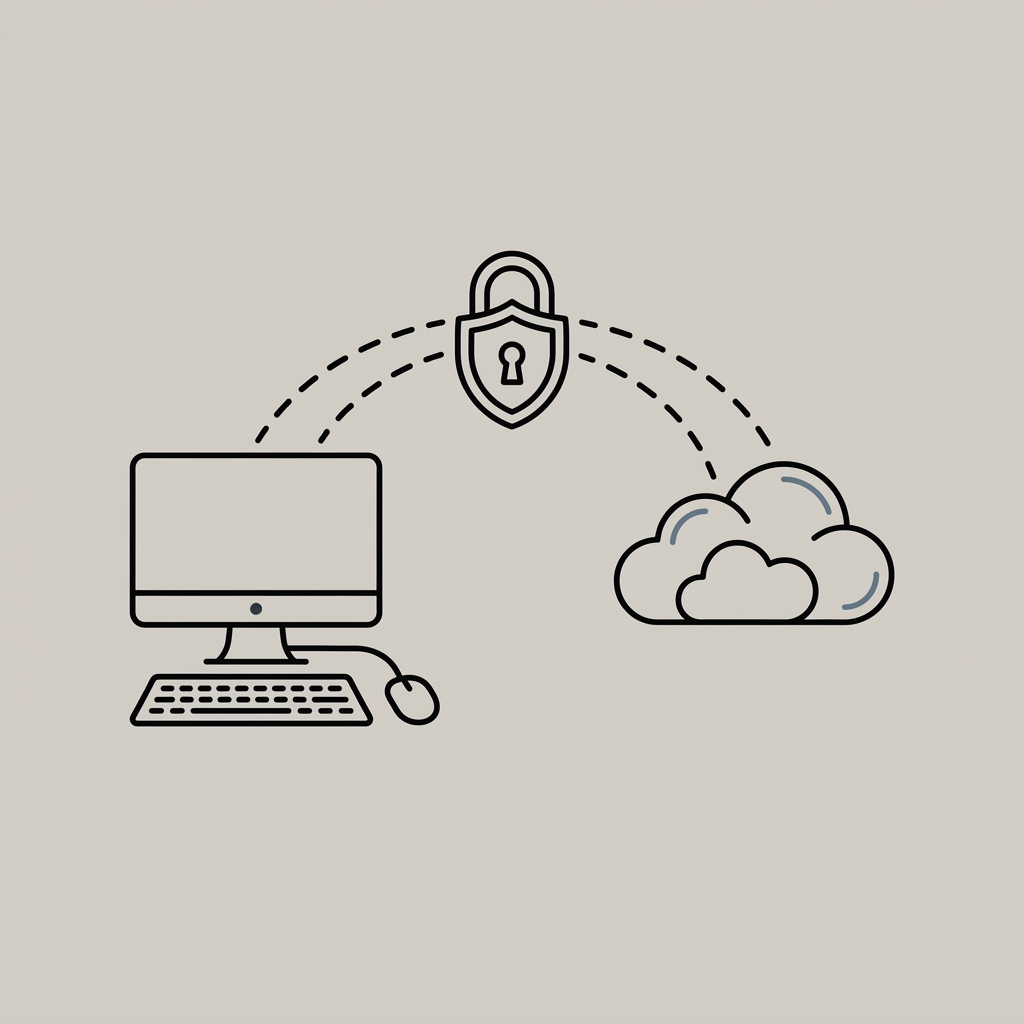
Direct Answer: Designing floating CAD/CAM licence infrastructure requires balancing local network performance against remote accessibility. On-premise licence servers (e.g. FlexNet Publisher / LMTOOLS) deliver low local checkout latency, independence from external internet connections, and operational autonomy for centralized design offices. Cloud-managed or cloud-hosted licence servers eliminate local server hardware management and simplify multi-site remote access, but introduce WAN network dependencies and require careful port/VPN routing. A hybrid architecture—combining local license daemons with cloud failover—is recommended for distributed engineering teams.
1. Architectural Landscape: Floating Licence Servers vs Named User Cloud Licensing
Engineering IT Directors and CAD Managers must distinguish between two fundamental software licensing architectures across major CAD/CAM/CAE vendors (such as Siemens Digital Industries Software, Dassault Systèmes, PTC, ANSYS, and Autodesk):
- Vendor Cloud Named User Licensing (SaaS / Cloud SSO): Users authenticate directly against the vendor’s cloud portal using individual user credentials. No local licence server or network daemon is required.
- Network Floating Licence Servers (FlexNet Publisher / FLEXlm / NLM): A dedicated licence manager running on a local or cloud-hosted server dynamically manages a pool of floating seats (
concurrent licenses). When an engineer launches a CAD application, the software issues a checkout request over the network to the licence daemon. Upon closing the application, the seat is checked back into the server pool.
While vendors continue expanding cloud SSO licensing, network licence managers (FlexNet Publisher, DSLS, RLM) remain vital across enterprise CAD, CAM, simulation (FEA/CFD), and legacy engineering environments.
2. On-Premise Licence Server Architecture
In a traditional on-premise setup, the licence management software (such as Revenera’s FlexNet Publisher, featuring the master daemon lmgrd and specific vendor daemons like adskflex or ugslmd) runs on a local Windows Server or Linux instance within the company’s LAN.
Key Technical Characteristics:
- Low Local Checkout Latency: Licence checkout requests resolve over local gigabit Ethernet, avoiding external network bottlenecks during application startup.
- Independence from External Internet Connections: Local workstations continue operating during external ISP or WAN outages.
- Granular Network Control: IT administrators control access via local Options Files (
.opt), restricting seat allocations by IP subnet, Windows user group, or host name. - Failure Domain Considerations: If a standalone local licence server experiences hardware or OS failure, connected CAD workstations relying on active checkouts will be unable to acquire new floating keys until the service is restored.
- Remote Work & VPN Routing: Remote engineers connecting via home internet establish VPN tunnels (IPsec or OpenVPN) to check out licences, requiring stable network routing.
3. Cloud-Hosted IaaS vs Vendor-Managed Cloud Licensing
IT teams must distinguish between cloud-hosted IaaS licence servers and vendor-managed cloud SSO:
- Cloud-Hosted IaaS Licence Server: Deploying standard licence management daemons (
lmgrd/ FlexNet) on a Virtual Machine (AWS EC2, Azure VM). Note: Cloud hosting eligibility depends on FlexNet capability, software publisher EULA terms, hostid binding mechanisms (e.g. Ethernet MAC vs Cloud Instance ID), and vendor support policies. Cloud-hosted IaaS servers still require OS and daemon administration. - Vendor-Managed Cloud SSO: SaaS authentication managed entirely by the software publisher, requiring no server VM administration.
Key Technical Characteristics of Cloud-Hosted Servers:
- Simplified Multi-Site Access: Engineering offices across multiple geographic regions connect to a central cloud licence server over Site-to-Site VPN or TLS tunnels.
- Elimination of On-Premise Server Hardware: Reduces local physical server maintenance and UPS hardware overhead.
- WAN Dependency & Routing: Network latency, packet loss, or VPN jitter over international connections can impact licence checkout response times.
- Port Management: Requires explicit cloud security group configuration for TCP communication ports.
4. Architectural Comparison Matrix
| Technical Factor | On-Premise Licence Server | Cloud-Hosted IaaS Server (AWS/Azure) | Vendor-Managed Cloud SSO | Hybrid Architecture |
|---|---|---|---|---|
| Network Dependency | Local LAN Only | WAN / VPN Network Required | Continuous Internet Required | Local Cache + Cloud Failover |
| Checkout Latency | Low (Local LAN RTT) | Dependent on WAN RTT | Variable (HTTPS API) | Low Local Checkout RTT |
| Failure Domain | Single Local Server | Cloud VM / Region | Vendor Cloud Service | Multi-Server Redundant Triad |
| Remote Access Method | Client VPN Tunnel | Site-to-Site / Client VPN | Direct HTTPS SSO | Hybrid VPN / Local Server |
| Server OS Maintenance | Required (Local Server) | Required (Cloud VM Instance) | None (Vendor Managed) | Required (Local & Cloud) |
| Offline Borrowing | Supported (If Publisher Enabled) | Supported (If Publisher Enabled) | Limited (Vendor Grace Window) | Supported (Local Backup Seats) |
5. Engineering IT Troubleshooting & Diagnostic Guide
When engineering workstations fail to acquire a licence, systematically diagnosing network connectivity, daemon state, and environment parameters prevents extended downtime.
Diagnostic Checklist for Common Errors:
1. FlexNet Error -15 (“Cannot connect to license server system”)
- Common Causes: Official FlexNet documentation indicates Error -15 occurs when: (1) the license server manager (
lmgrd) is not running, (2) an incorrectport@hostspecification is used, (3) an incorrect licence file is referenced, (4) the TCP/IP port has changed, or (5) network connectivity/firewall rules block the TCP port. - Diagnostic Steps:
- Test TCP connectivity via PowerShell:
Test-NetConnection -ComputerName <Server_IP> -Port <Server_Port>. - Verify Windows Firewall / Cloud Security Groups permit inbound traffic on both the master SERVER port and the static vendor daemon port defined in the
.licfile. - Confirm that the
lmgrdprocess and vendor daemon (e.g.ugslmd) are active in Services / Task Manager.
- Test TCP connectivity via PowerShell:
2. FlexNet Error -96 (“License server machine is down or not responding”)
- Official Definition: FlexNet defines Error -96 as
License server machine is down or not responding. This indicates that the server machine is unreachable, powered off, or network routing is blocked. (Note: Hostname lookup failure specifically triggers FlexNet Error -14Cannot find server hostname). - Diagnostic Steps:
- Verify IP reachability and hostname resolution via
pingandnslookup. - Ensure system environment variables (
ADSKFLEX_LICENSE_FILE,UGS_LICENSE_SERVER) specify@IP_Addressor verified FQDN over VPN connections.
- Verify IP reachability and hostname resolution via
3. Understanding FLEXLM_TIMEOUT Environment Variable Specification
- Technical Specification & Platform Scope: According to the Revenera FlexNet Publisher 2026 R1 (11.19.10) License Administration Guide → Environment Variables,
FLEXLM_TIMEOUThas the following exact parameters:- Platform Scope: Windows only
- Unit: Microseconds (1,000,000 microseconds = 1 second)
- Minimum:
200,000microseconds (0.2 seconds) - Maximum:
20,000,000microseconds (20 seconds) - Default:
3,000,000microseconds (3 seconds)
- Diagnostic Sequence Before Adjusting Timeout: Administrators should not automatically increase
FLEXLM_TIMEOUT. Prior to modifying timeout environment variables, IT teams must systematically verify: (1) server IP reachability, (2) correctport@hostspecification, (3) DNS hostname resolution, (4) active vendor daemon state, (5) client licence search path order, (6) network packet loss and jitter, and (7) vendor-specific CAD application documentation. ModifyingFLEXLM_TIMEOUTshould only be considered if network diagnostics indicate latency-driven handshake timeouts and vendor guidance permits.
6. Port Configuration & High-Availability Architecture
A. Port Configuration Rules:
- SERVER Port: The master TCP port can be explicitly specified on the
SERVERline in the licence file. If left unspecified,lmgrdscans the default range27000–27009. - Vendor Daemon Port: The vendor daemon port (e.g.
VENDOR ugslmd port=28001) can be explicitly static for predictable firewall configuration where supported by the software publisher.
B. High Availability: Redundant Triad vs Cloud HA:
- On-Premise Redundant Triad: FlexNet supports a 3-server Redundant Triad configuration where 2 out of 3 servers must be operational. Triad servers require sub-millisecond inter-server communication latency and are designed for single-site LAN environments.
- Cloud High Availability: Cloud-hosted licence servers leverage cloud platform HA mechanisms (VM auto-recovery, availability zones) rather than multi-region FlexNet Triads, due to inter-server latency constraints.
7. Infrastructure Implementation Roadmap for IT Leads
When evaluating CAD licence infrastructure, IT Directors should follow this diagnostic roadmap:
- Audit Publisher Licensing Models: Map every engineering application to its specific licensing mechanism (FlexNet, DSLS, RLM, Cloud SSO).
- Measure Network Parameters: Measure Round-Trip Time (RTT), network jitter, packet loss, DNS resolution speed, and port reachability across user locations.
- Define Uptime Requirements: Establish maximum acceptable downtime limits for engineering operations.
- Enforce Static Daemon Ports: Modify licence files to assign fixed port numbers to vendor daemons where supported by the publisher.
- Verify Licence Borrowing Rules: Confirm whether licence borrowing (
BORROW) is enabled by the publisher and configure maximum borrow duration in Options Files (.opt). - Configure Centralized Debug Logging: Enable FlexNet debug logging (
debug.log) to monitor checkout events and license utilization.
8. Frequently Asked Questions
Can floating CAD licence servers be hosted in public cloud infrastructure like AWS or Azure?
Cloud-hosted IaaS licence server deployment depends on FlexNet capability, software publisher EULA terms, hostid binding mechanisms (e.g. Ethernet MAC vs Cloud Instance ID), and vendor support policies. Verify publisher support prior to deployment.
What is the difference between lmgrd and a vendor daemon?
lmgrd is the master FlexNet licence server manager process that receives initial client connection requests. The vendor daemon (e.g. adskflex for Autodesk, ugslmd for Siemens NX) is a vendor-specific executable that manages feature licence checkouts.
How does licence borrowing operate?
Licence borrowing allows an engineer to check out a floating licence key from the server onto their local workstation for offline use. Borrowing must be supported and enabled by the software publisher, and maximum borrow duration is defined in vendor options files.
Primary Sources & Technical Manuals
- Revenera Corporation: FlexNet Publisher 2026 R1 (FLEXlm) Licence Administration Guide.
- Siemens Digital Industries Software: Siemens PLM License Management Technical Documentation.
- Autodesk Inc.: Network License Manager (NLM) Configuration & Port Administration Guide.
Seeking CAD Licence Infrastructure & Troubleshooting Support?
InnoSfera provides specialized engineering IT infrastructure support, licence manager deployment, server setup, and network troubleshooting for design offices in Poland and across Europe.
- Explore Engineering IT Infrastructure Support
- Browse CAD/CAM Software Solutions
- Consult Our Engineering IT Specialists: Contact our technical team at
it-support@innosfera.eu.
Andrzej Stasz
InnoSfera EU